The 6-Week Sprint Rulebook
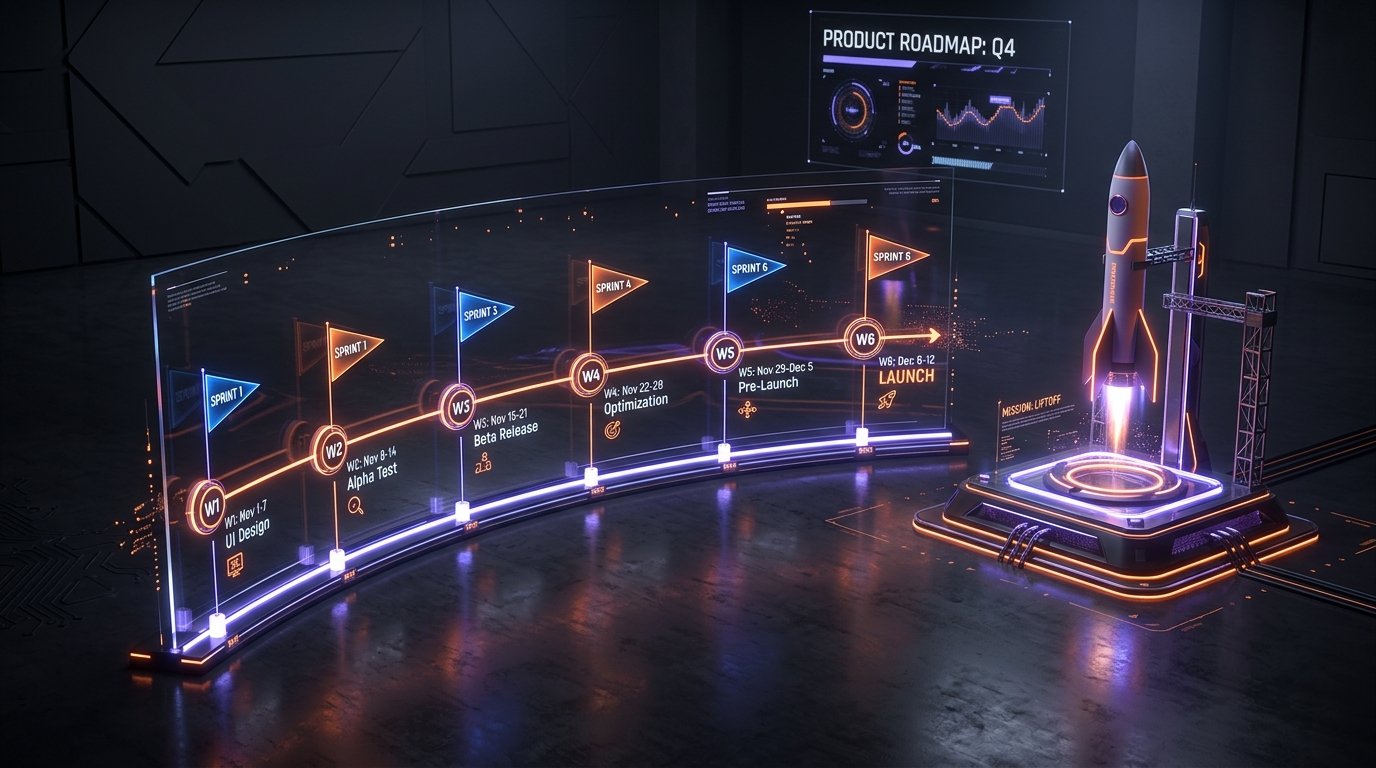
- Week 1 (Discovery & Figma): Define the primary user loop; produce a clickable prototype with zero code.
- Weeks 2–3 (Core Development): Build database schema, auth, and the 3 most essential user screens.
- Week 4 (API & Integrations): Hook up payments (Stripe/RevenueCat), notifications, and cloud sync.
- Week 5 (QA & Hardening): Test on real devices, eliminate layout bugs, run security checks.
- Week 6 (App Store Submission): Upload builds to TestFlight & Google Play Internal, pass Apple review.
The number one killer of early-stage startups is not lack of capital—it is time. Founders spend 8 to 12 months in stealth mode polishing dozens of hypothetical features, only to launch to deafening silence. In 2026, the competitive standard has shifted: you must ship a focused, high-polish Minimum Viable Product (MVP) in 6 weeks or less to start collecting real user signals before your runway evaporates.
Step 1: The "One Core Loop" Scoping Rule
An MVP is not a half-baked, broken version of your dream product. An MVP is a complete, frictionless execution of one single user loop.
Take our task management app BlinkTask as a case study. We didn't launch with team collaboration, cloud attachments, calendar integrations, and Kanban boards. We launched with one core loop: fast natural-language task creation and a Pomodoro focus timer. That focused core won our first 10,000 active users because it did that one job better and faster than complex bloated competitors.
The MoSCoW Filter for 6-Week Sprints
Sign in, primary value action, local storage, core conversion point.
Push reminders, dark mode toggle, basic user profile photo.
Social feeds, in-app messaging, custom themes, multi-tenant billing.
Step 2: Prototyping Before Coding (Saving 80 Hours of Dev Work)
Never write a single line of code until you have validated your user experience in a 60fps clickable Figma prototype. During Week 1 of our sprint, we design every screen, button state, and error modal.
When you click through a realistic Figma prototype on a physical phone, you immediately notice navigation bottlenecks that look fine on paper. Redesigning a screen in Figma takes 30 minutes; rewriting a completed Flutter widget tree, database migration, and state bloc takes 3 days.
Ready to Launch Your MVP in 4–6 Weeks?
Firebrick Studio's MVP Launch Package ($2,499) delivers a fully validated cross-platform app, clickable Figma prototype, and guaranteed App Store submission.
Explore MVP PackageStep 3: Pre-Configured Backend Infrastructure
Do not build custom authentication servers or write database engines from scratch for an MVP. In 2026, lean engineering relies on hardened backend-as-a-service (BaaS) platforms:
- Supabase / Firebase: Instant PostgreSQL database with real-time subscriptions, secure auth, and automated backups.
- RevenueCat: Handles complex Apple StoreKit 2 and Google Play Billing cross-platform subscription receipts with a single SDK.
- Resend & OneSignal: Transactional transactional emails and push notifications that take under 2 hours to integrate.
Step 4: Launching to the App Store with 100% Approval
Week 6 is dedicated to App Store review compliance. Apple rejects over 40% of first-time submissions due to broken in-app purchases, missing privacy labels, or guideline 4.2 ("Minimum Functionality").
We pre-audit your app against Apple's Human Interface Guidelines, verify account deletion compliance, configure the App Tracking Transparency (ATT) framework, and provide demo reviewer credentials. This proactive approach ensures your app sails through review on the first attempt.