Why Offline-First is the Gold Standard
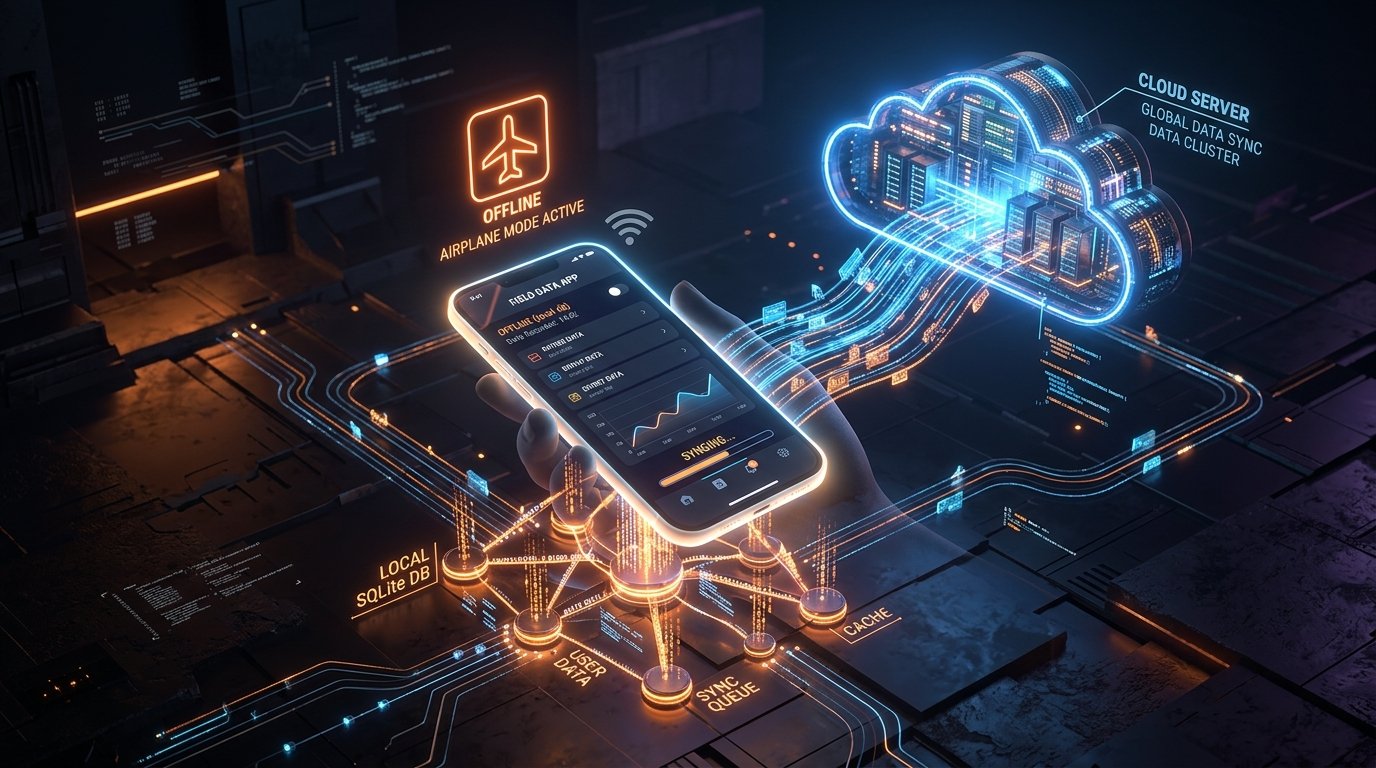
- 0ms Perceived Latency: All user interactions read and write to local SQLite/Isar storage immediately—never waiting on network round-trips.
- Zero Spinner Spin-Fatigue: Users never stare at loading wheels when entering an elevator, subway, or patchy 3G cell reception.
- Reduced Server Infrastructure Costs: Read operations happen on the user's device, drastically reducing expensive cloud API invocations.
- Higher User Retention: Apps that work reliably offline see up to 2.4x higher day-30 user retention metrics.
Nothing destroys mobile user engagement faster than a spinning loading indicator. If a user opens your to-do app, fitness tracker, or notes app on a subway or with weak airplane Wi-Fi, and is greeted with a blank screen or a "Network Error" dialogue, they will delete your app and find an alternative. At Firebrick Studio, we engineer all apps under an uncompromising principle: local-first by default.
1. How Offline-First Actually Works (The 3-Tier Layer)
In a naive cloud-first architecture, the UI makes an HTTP request to a remote server, waits 300–800ms for a response, and only then renders the data. In an offline-first architecture, the order is completely reversed:
- Local Read: The UI queries a high-speed local database (SQLite, Realm, or Isar). The query executes in less than 2 milliseconds. The screen renders instantly.
- Optimistic Write: When the user edits or creates a record, the change is written to local storage and an internal "Outbox Queue" immediately. The UI updates instantaneously.
- Silent Background Sync: A background worker detects internet connectivity, batches pending Outbox items, pushes them to the central cloud API, and reconciles any incoming server changes.
Local-First Data Pipeline
2. Handling Conflict Resolution Without Losing Data
What happens if a user edits an item offline on their iPad, and edits the exact same item on their phone simultaneously? In poorly designed apps, data gets overwritten or erased. In professional offline-first architectures, we deploy proven synchronization algorithms:
- Last-Write-Wins (LWW) with Lamport Timestamps: Perfect for simple data models (task titles, profile updates, status toggles). Each change includes an incrementing monotonic clock counter.
- Conflict-Free Replicated Data Types (CRDTs): Essential for collaborative editing, notes, or multi-user documents. CRDTs mathematically guarantee that changes converge to the exact same state on all devices without requiring server mediation.
- Append-Only Event Logs: Instead of mutating database rows directly, the app stores user actions as an immutable event stream (e.g. `TaskCreated`, `TaskRenamed`, `TaskCompleted`).
Want an App That Works 100% Offline?
We engineer battle-tested offline-first applications with zero loading spinners and bulletproof sync. Talk with our lead system architects today.
Architect an Offline-First AppCase Study: How Firebrick Studio Built Audio Shelf and BlinkTask
Our production apps are proof of this philosophy in action:
In our audiobook player Audio Shelf, users travel on flights, trains, and remote outdoor trails. Audio files are indexed locally with byte-level bookmarking in SQLite. When the user lands and reconnects to cellular data, their playback timestamps and listening milestones sync in the background in less than 300 milliseconds.
Similarly, in BlinkTask, tasks and Pomodoro timer logs are written directly to high-speed local disk storage. This gives the app its signature "instant, bullet-speed" feel that users frequently rave about in App Store reviews.